
Download Free Sudoku – free sudoku, sudoku game, puzzle game, logic game, number puzzle, brain game, sudoku solver, solve sudoku, free puzzle game, online sudoku
Overview
Free Sudoku is a digital adaptation of the classic number placement puzzle that has captivated minds since its modern revival in the 1980s. Designed for both casual players and seasoned enthusiasts, the app delivers a pure, focused experience centered on logic, pattern recognition, and strategic thinking. By eliminating the need for pen and paper, it brings the timeless challenge of Sudoku into the mobile era, enabling users to solve puzzles anytime and anywhere. The app serves as a convenient utility for those seeking mental stimulation, stress relief, or a way to sharpen cognitive abilities through structured play. It is particularly valuable in a world where digital distractions dominate, offering a mindful, screen-based activity that promotes concentration and problem-solving skills.
Targeted at puzzle lovers across age groups, Free Sudoku appeals to students, professionals, retirees, and anyone interested in brain-training games. Its accessibility and lack of cost make it a widely approachable tool for mental engagement. The developer, SoftPas, has maintained a long-standing presence in the puzzle space, with the app first released in 2006—a testament to its enduring design and user appeal. Though specific details about the company’s broader portfolio were not provided, the app’s longevity suggests a commitment to simplicity, stability, and user satisfaction. In the mobile app ecosystem, Free Sudoku stands as a reliable, lightweight utility within the puzzle category, offering consistent value without the noise of excessive features or in-app purchases.
Key Features & Functionality
- Digital Convenience: The app eliminates the need for physical notebooks and erasers. Players can seamlessly navigate puzzles using touch controls, adjust entries instantly, and reset grids with a single tap, streamlining the solving process.
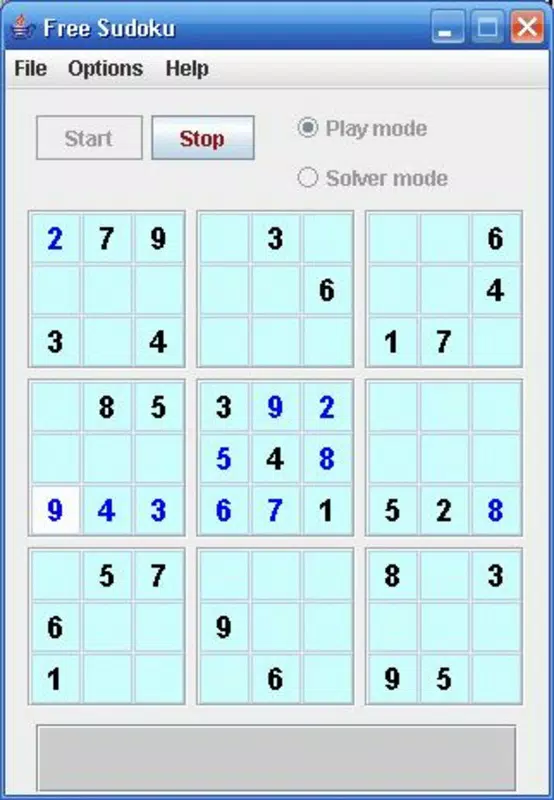
- User-Friendly Interface: The layout closely mirrors traditional Sudoku grids, ensuring a familiar experience for those transitioning from paper versions. Clean lines, clear number input, and intuitive touch responsiveness reduce friction and allow players to focus on logic rather than mechanics.
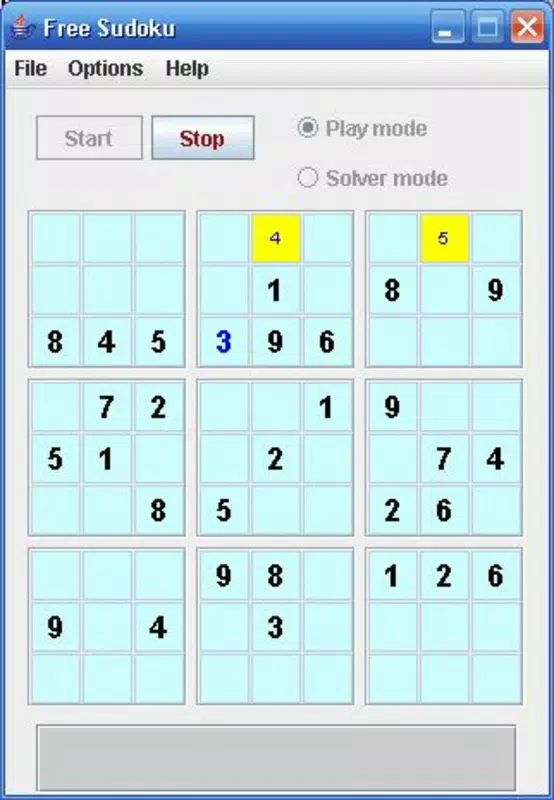
- Helpful Alerts: When a number is placed in a position that violates Sudoku rules, the app provides immediate visual feedback. This feature supports learning and reduces frustration, especially for beginners, by allowing users to correct errors in real time.
- Marking Uncertain Numbers: Users can input small, temporary notes (pencil marks) to track possible values in a cell. This strategic tool is essential for solving advanced puzzles and encourages deeper analytical thinking.
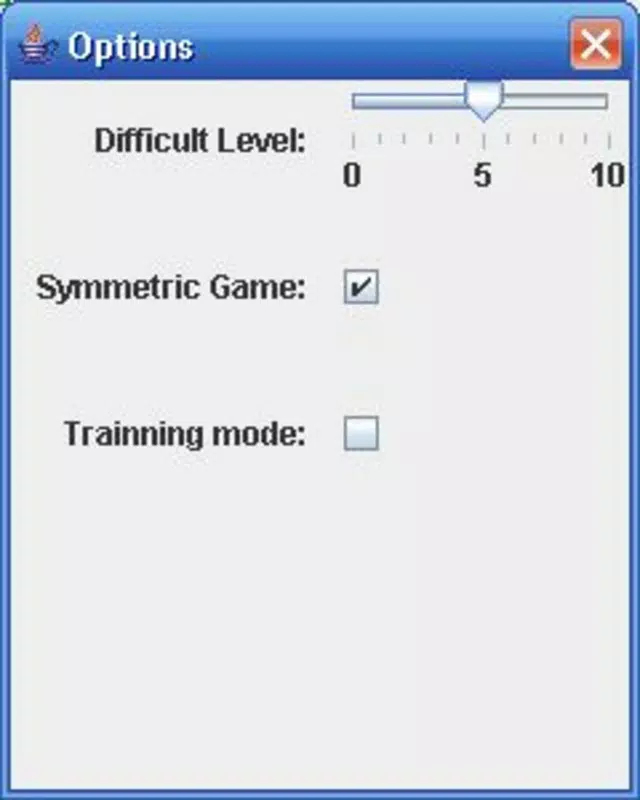
- Multiple Difficulty Levels: The app includes puzzles ranging from easy to expert, enabling players to progress at their own pace. This tiered structure supports skill development and ensures long-term engagement.
For example, a new user might start with easy puzzles to understand the rules and build confidence, while an experienced solver can tackle expert-level grids that require advanced techniques like X-Wing or Naked Pairs. The ability to save progress and return later adds practicality for daily use, such as during commutes or short breaks.
Interface, UX & Performance
The user interface of Free Sudoku is designed with clarity and functionality in mind. The grid is presented in a clean, uncluttered format with clearly distinguishable cells and input fields. Navigation is straightforward: tapping a cell activates a number pad, and selecting a number inserts it into the grid. The visual feedback for incorrect placements is immediate, using subtle color changes or highlights to draw attention without overwhelming the user.
Interaction is smooth and responsive across a range of Android devices. Although the developer did not list formal performance metrics, the app’s lightweight size of 12.3 MB suggests optimized resource usage, contributing to quick load times and stable operation. The app runs efficiently on both older and newer devices, making it accessible to a broad audience. Stability is evident in the consistent behavior during puzzle solving, with no reported crashes or freezes in the provided information. The experience remains consistent across different screen sizes, adapting well to various form factors without distortion or layout issues.
Platform Compatibility & Technical Requirements
Free Sudoku is available exclusively on the Android platform. The current version is 2.0, released on February 3, 2006. The app has a file size of 12.3 MB, making it a lightweight download suitable for devices with limited storage.
While the developer did not specify minimum OS requirements, the long-standing release date indicates broad compatibility with older Android versions. However, users should be aware that compatibility with the latest Android updates may depend on device-specific settings and system permissions. No additional hardware requirements were listed, suggesting the app functions well on standard smartphone and tablet hardware.
Pros and Cons
- Completely free to download and use with no in-app purchases
- Lightweight size (12.3 MB) ideal for older or low-storage devices
- Intuitive interface that mirrors traditional paper Sudoku
- Multiple difficulty levels cater to all skill levels
- Helpful error alerts and pencil mark functionality enhance learning and strategy
- Released in 2006, so the interface may feel dated compared to modern apps
- No cloud sync or progress saving across devices (if applicable)
- Limited customization options for themes or grid styles
- Developer did not provide additional technical details such as OS version requirements
FAQ
Is Free Sudoku safe to download?
Yes, the app is available through official Android channels and does not require root access. As a free tool with no ads or in-app purchases, it maintains a secure and stable environment.
Can I play Free Sudoku offline?
Yes, the app does not require an internet connection to play puzzles, making it ideal for travel or areas with poor connectivity.
Is there a version for iOS devices?
Based on the provided information, Free Sudoku is currently only available on Android. No iOS version was listed.
How often are new puzzles added?
The developer did not specify update frequency. However, the app includes multiple difficulty levels, ensuring a steady supply of challenges.
Can I customize the appearance of the Sudoku grid?
Specific customization options were not detailed. The interface appears to focus on functionality over visual personalization.
Final Thoughts
Free Sudoku remains a dependable and timeless choice for anyone seeking a brain-boosting, no-cost puzzle experience. Its minimalist design, solid functionality, and focus on core gameplay make it a standout in the crowded puzzle category. While the interface may not reflect the latest design trends, its simplicity ensures accessibility and ease of use for all ages. Whether you're looking to pass time, improve logical reasoning, or simply enjoy a classic game in a modern format, this app delivers consistent value. For those who appreciate clean, effective tools without distractions, Free Sudoku offers a reliable and rewarding experience.
Download Free Sudoku now


